01
Make connecting effortlessOne quick scan shares everything that matters—without an app or a paper card.Scan → ShareCandela Smart Connections
Turn every scan into a business opportunity.
Beautiful digital business cards for you and your team—plus the tools to capture, organize, and follow up with the people you meet.
✓No app required✓Built for your brand✓Set up for you
They scan
They connect
You follow up
More than a digital business card
One scan creates a better way to connect.
Turn a quick introduction into an organized opportunity your business can act on.
02
Never lose a new contactContact details arrive instantly. Hub plans also organize them by card, employee, and source.Capture → Organize03
Follow up while you’re rememberedHub plans send a personalized HTML email using submitted details. Growth Hub also adds SMS.Respond → GrowSee it in action
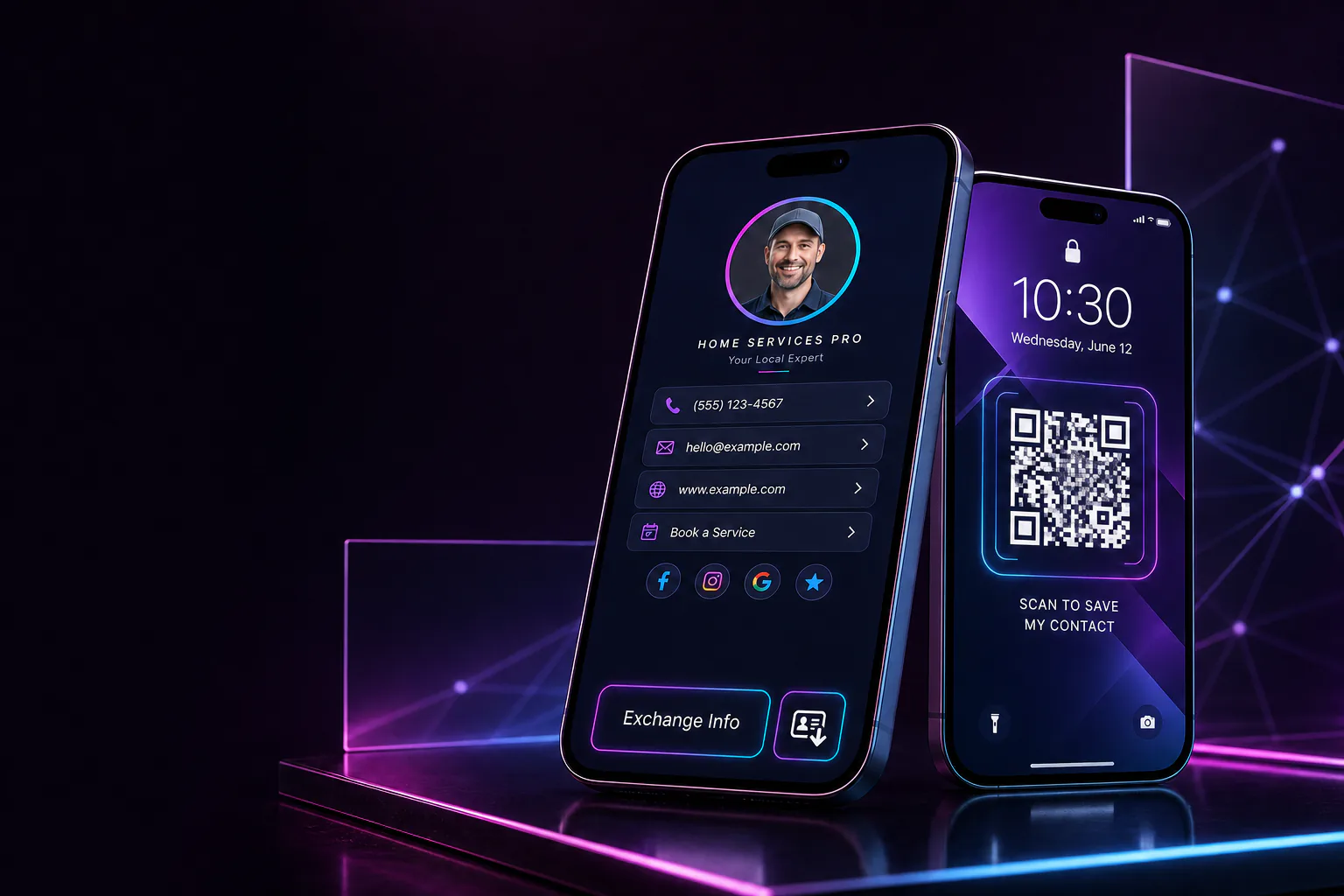
Your card is always ready to connect.
No app download. No paper card to lose. Your customer scans, taps, and shares their details in seconds.
- One scan opens your complete cardContact details, website, social profiles, booking link, and more.
- They can save you instantlyYour information goes directly into their phone—accurate and complete.
- You capture their information tooThe connection becomes useful instead of disappearing with a paper card.
Try the scan experience
Point your camera. See how simple it feels.
This demonstration QR code opens Candela Agency. Your finished card would open a branded mobile profile built around you, your team, and the actions customers should take.
No special app is required—just the camera already on the customer’s phone.

Designed around your business
See what your card could look like.
These examples show different visual directions—not off-the-shelf templates. Candela designs your card around your brand, your team, and the way customers connect with you.

Professional
Attorney
A polished legal profile built to turn introductions and referrals into clear next steps.
Start a card like this →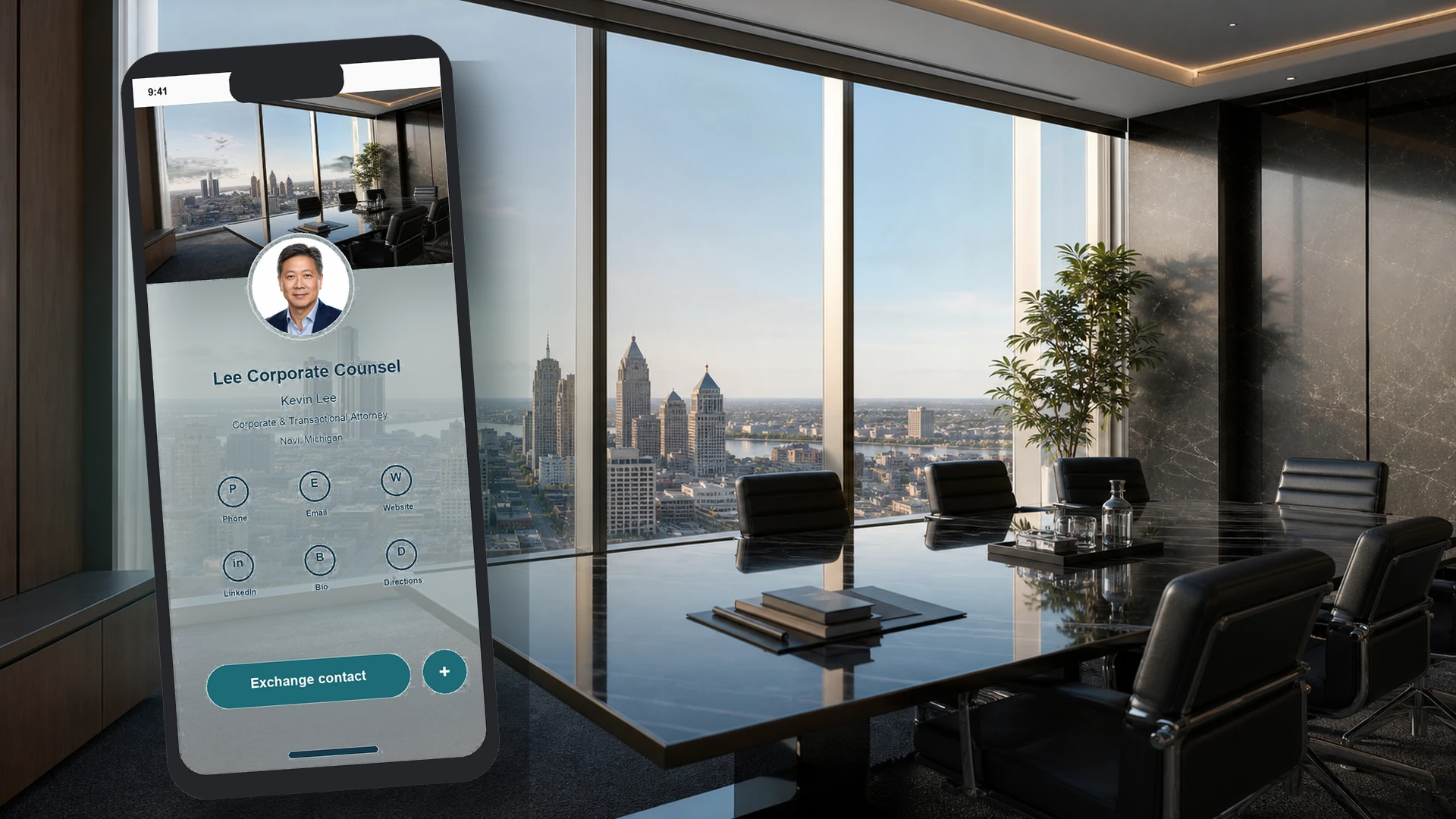
Professional
Financial advisor
A credible, personal card that makes saving contact details and requesting a conversation easy.
Start a card like this →
Home Services
HVAC company
Give owners, salespeople, and technicians a professional card connected to one company system.
Start a card like this →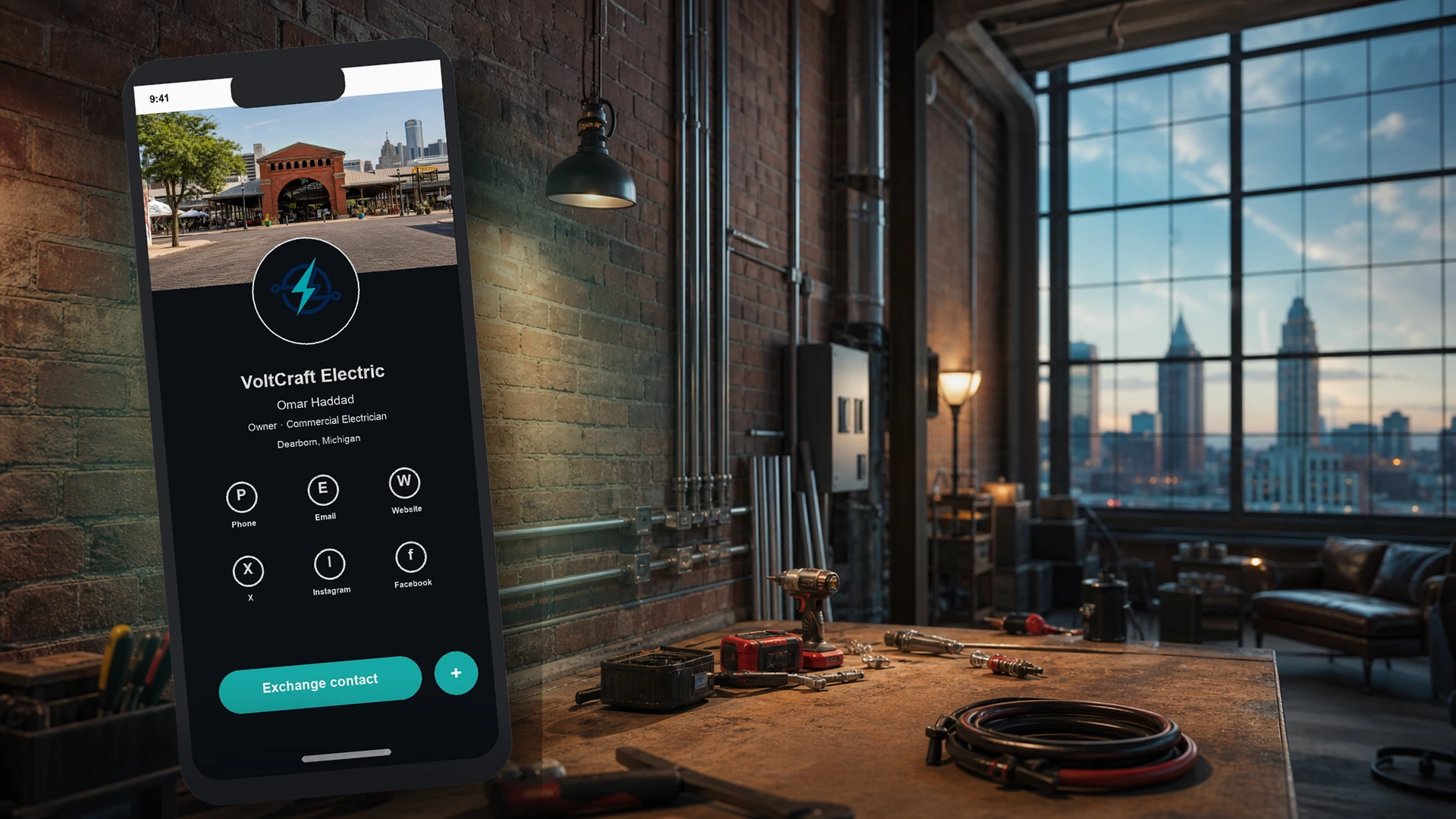
Home Services
Electrical contractor
Turn service calls, estimates, vehicles, and job sites into measurable opportunities.
Start a card like this →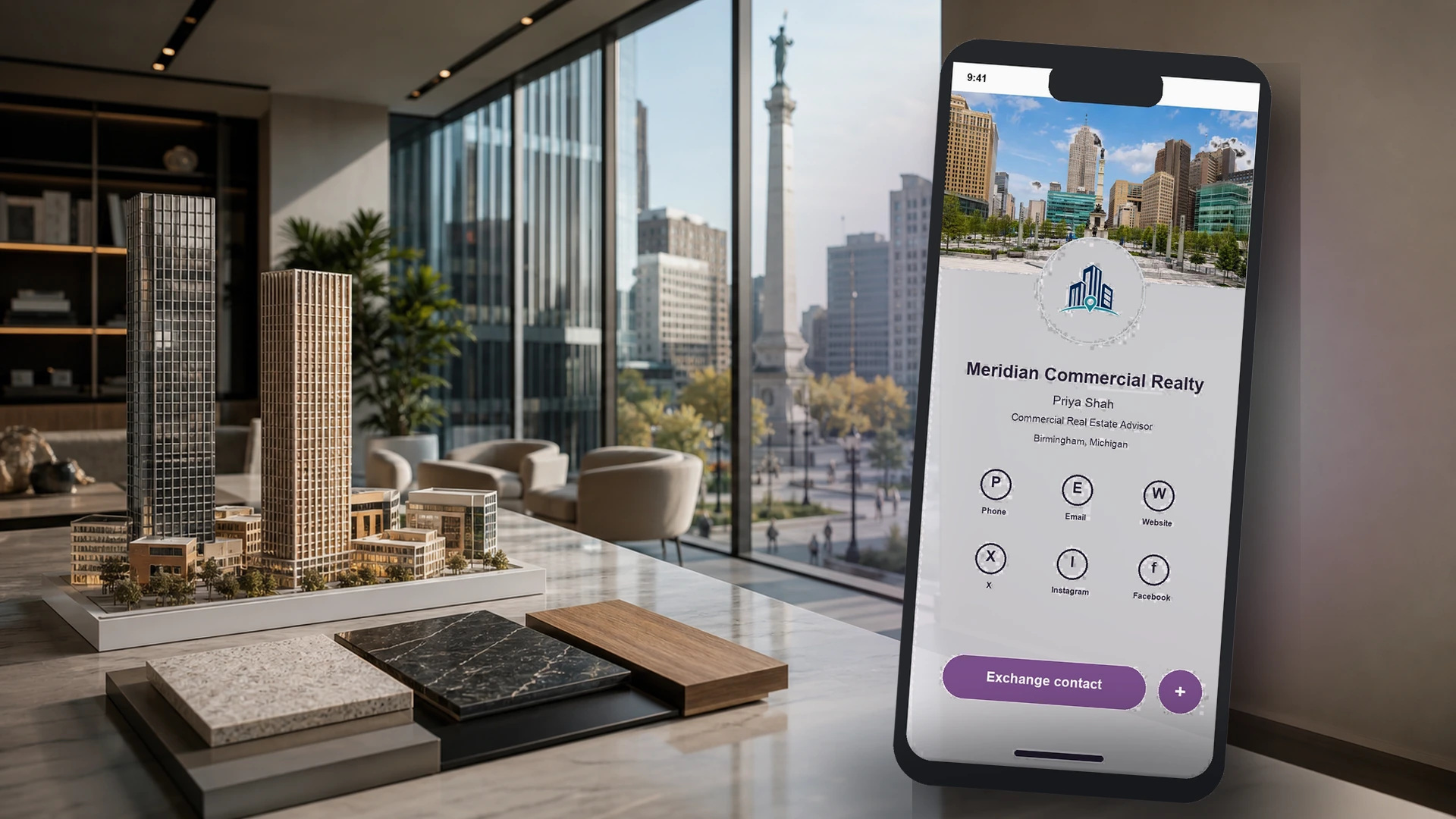
Real Estate
Commercial real estate
Connect networking, listings, property conversations, and follow-up in one branded experience.
Start a card like this →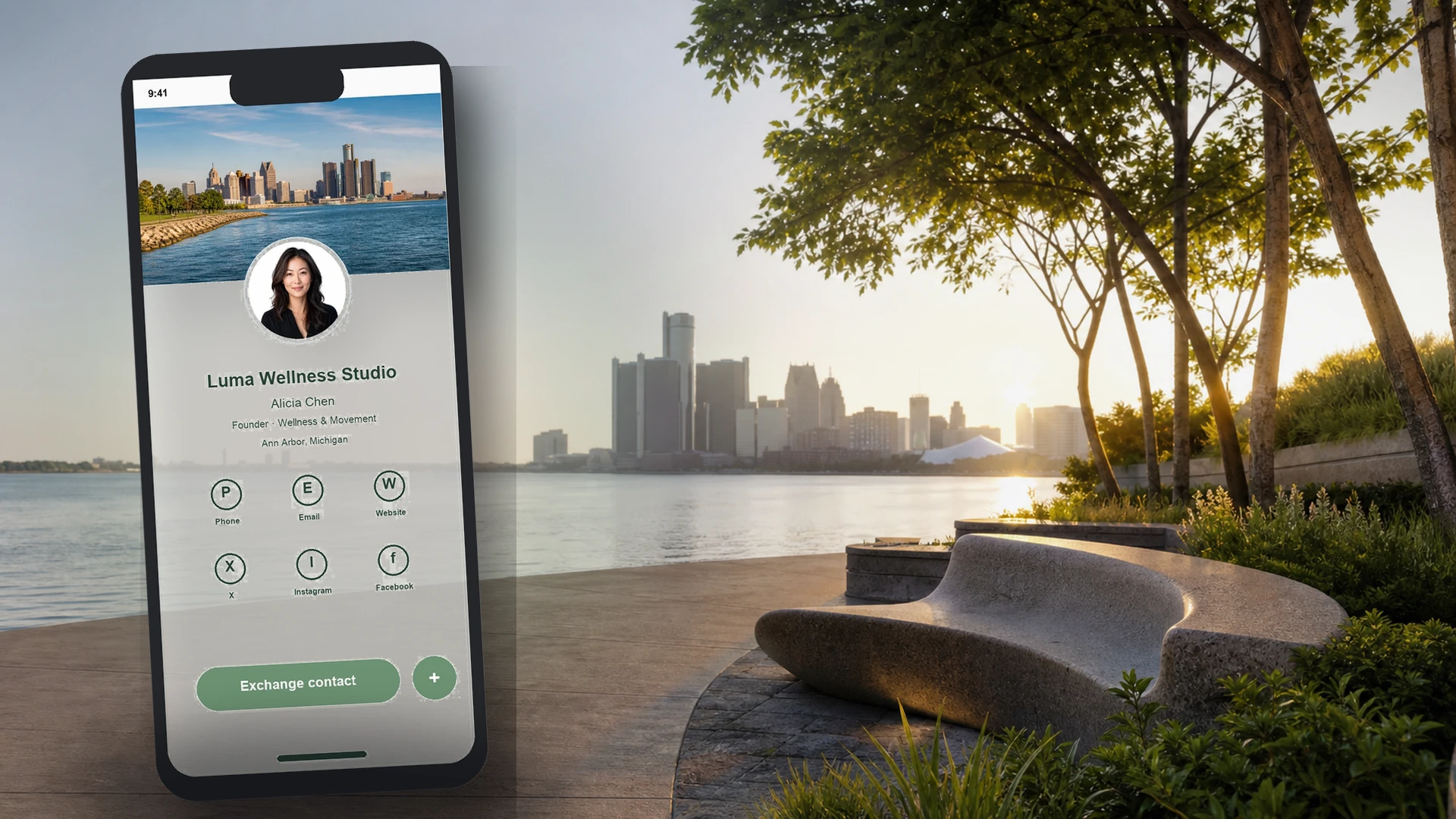
Health & Wellness
Wellness studio
Create a warm first impression that leads naturally to contact exchange, booking, and follow-up.
Start a card like this →Built for teams
One company. A card for every employee.
Give each person a unique card and QR code while keeping new contacts connected to the company.
Explore team plans →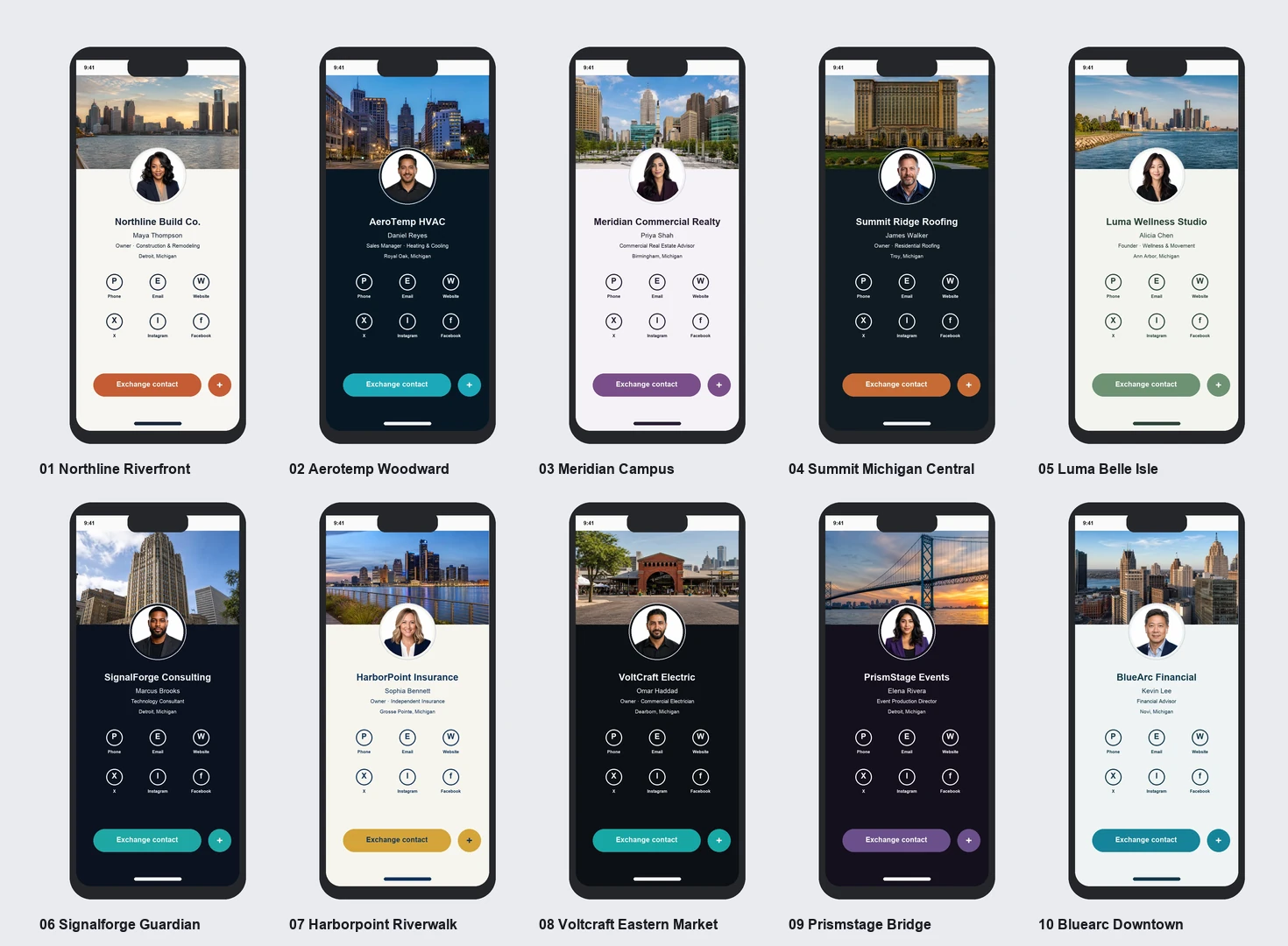
Always ready to share
Turn your phone into a branded connection tool.
Hub plans include custom QR phone wallpapers, so owners and employees can share without searching for a link.
Ask about QR wallpapers →Built for your brand
Your business doesn’t need to look like anyone else’s.
Candela designs every card around your brand, your team, and the actions you want customers to take.
Choose your starting point
Start simple. Grow when you’re ready.
Each plan gives you an immediate, useful outcome. The technology works quietly in the background.
A smarter first impression
Digital Card
Share a polished card, receive submitted form details by email, and send a minimal confirmation.
$29/month
$149 setup · 1 digital business card
Start with one cardWhat's included
- ✓Custom digital business card
- ✓Personal QR code
- ✓Contact capture form
- ✓Submitted field details emailed to you
- ✓Basic confirmation: subject + sender/company only
- ✓Hosting and ongoing access
Your team’s contacts, organized
Smart Contact Hub
Organize every contact and send a customized, personalized HTML follow-up—not just a notification.
$99/month
$299 setup · Up to 5 team cards
Organize my contactsWhat's included
- ✓Everything in Digital Card
- ✓Unique QR code for each employee
- ✓Custom QR phone wallpapers
- ✓Personalized HTML follow-up email
- ✓Custom body text + submitted fields
- ✓URLs, attachments and richer content
- ✓Contacts saved and source tracked
- ✓Simple lead-status board
- ✓Candela platform access
Most popularBest value
Capture. Respond. Grow.
Business Growth Hub
Connect every lead source, automate personalized follow-up, and turn satisfied customers into stronger online reviews.
$297/month
$599 setup · Up to 10 team cards
Build my growth hubWhat's included
- ✓Everything in Smart Contact Hub
- ✓Website forms replaced and connected
- ✓Website leads organized separately
- ✓Personalized email + SMS automation
- ✓Custom fields, URLs and attachments
- ✓Reputation management platform
- ✓Automated email review requests
- ✓Review monitoring dashboard
- ✓Social media planner and publishing
- ✓Online booking calendar
- ✓Lead source and progress tracking
Need more cards? Add employees to any eligible team plan for $10 per card, per month.
An important difference
A basic confirmation is not a follow-up automation.
Plan 1 acknowledges a submission. Plans 2 and 3 create a personalized communication experience designed to continue the conversation.
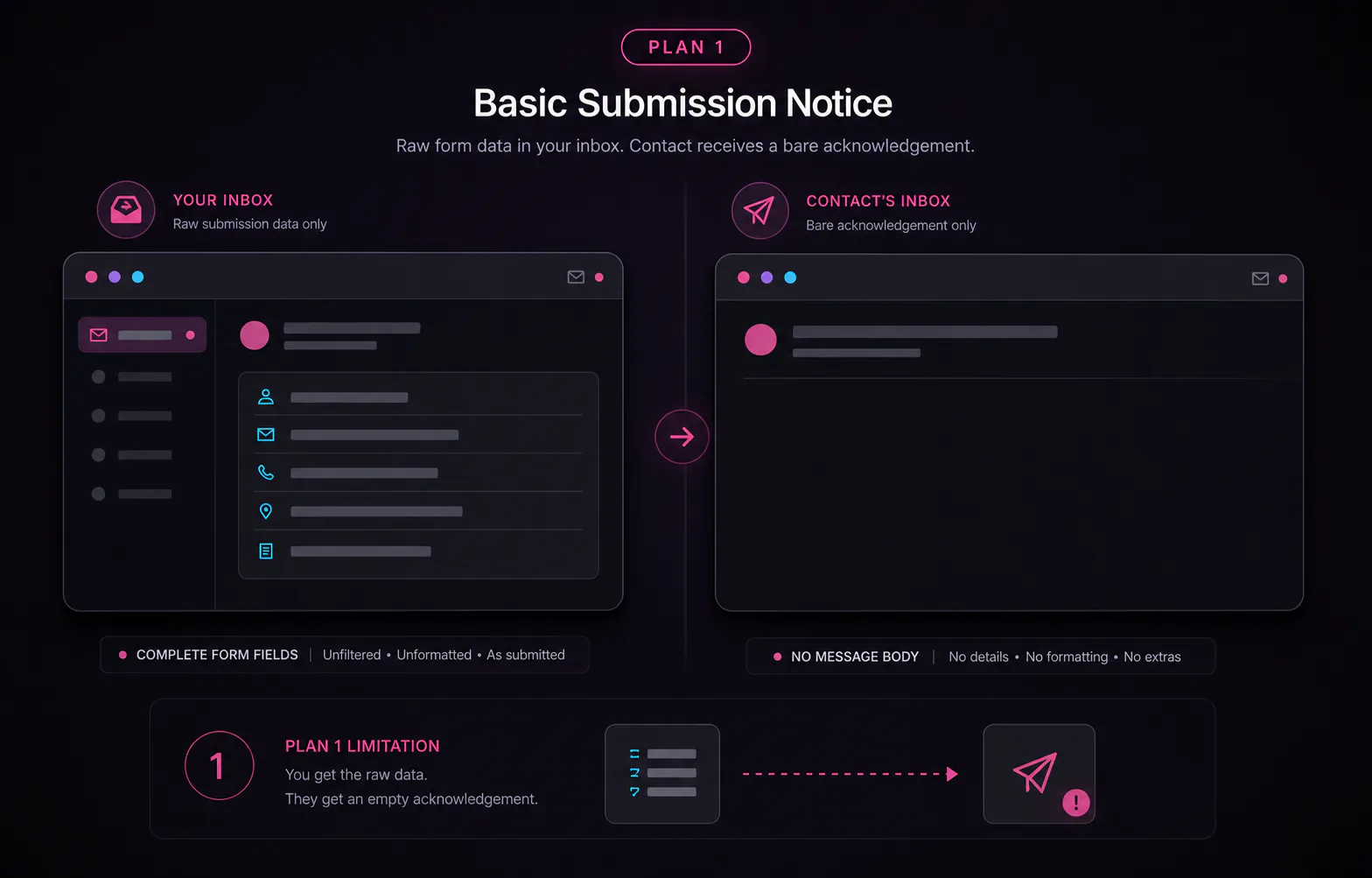
Basic submission notice
Useful for knowing someone connected—but intentionally simple.
- To your business:an email containing the contact details entered in the form fields.
- To the person:a minimal confirmation showing only the subject line and your sender or company name.
- No customized HTML body, personalized custom fields, URLs, attachments, or SMS.
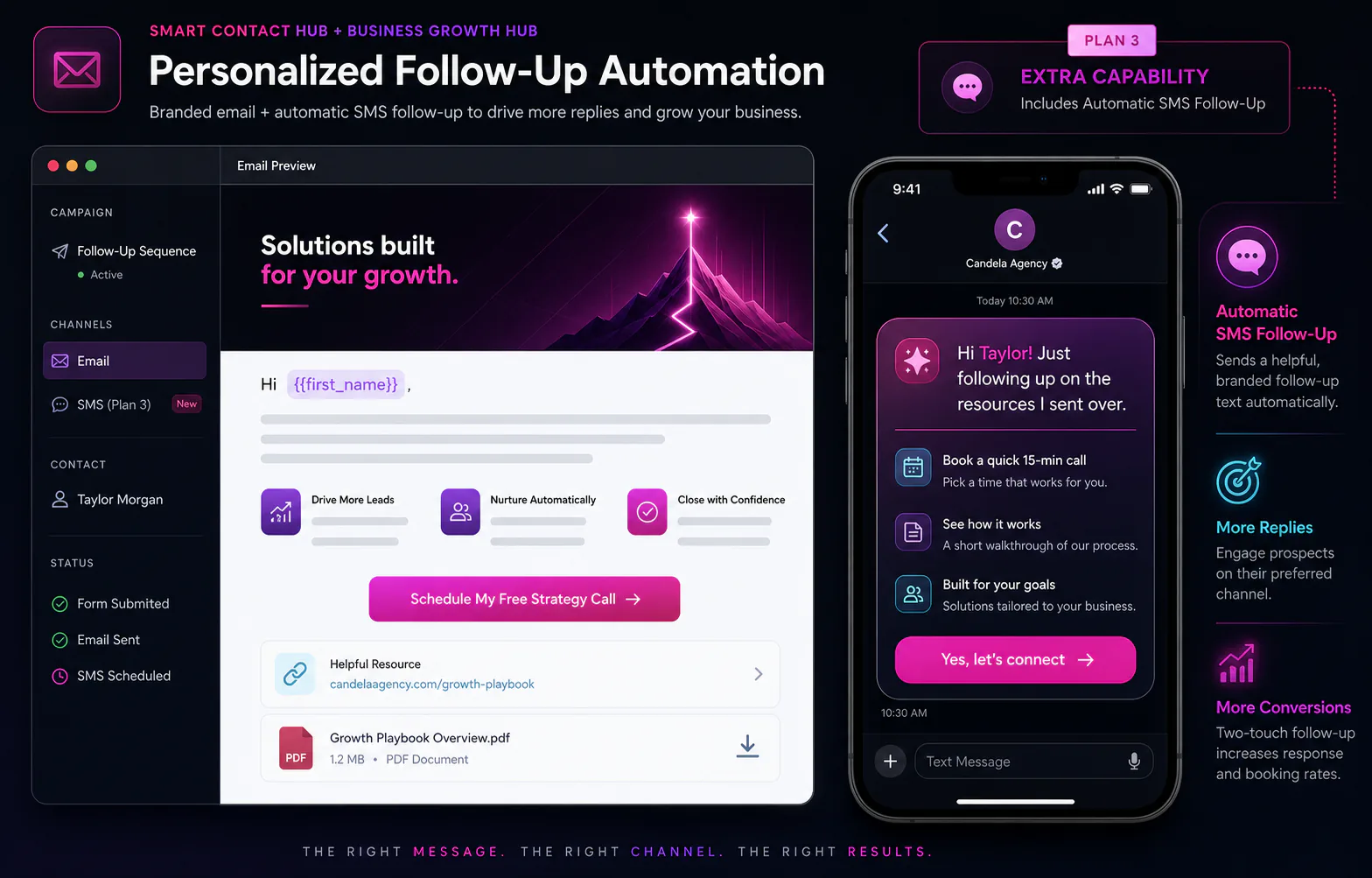
Personalized follow-up automation
A complete branded message built to make the next step easy.
- Customized HTML email:branded layout, full body copy, and a purposeful call to action.
- Personalized content:use submitted custom fields such as the person's name.
- Richer resources:include URLs, attachments, and other relevant information.
- Plan 3 adds SMS:automatic text-message follow-up alongside the email.
Not sure where to begin?
Find your plan in three quick answers.
Choose what describes your business today. You can always expand later.
3 quick questions
We build it for you
From your brand to ready to scan.
Your setup fee covers the strategy, design, configuration, and guided launch—not a blank template or another tool to figure out.
Brand & card design
Colors, logo, imagery, contact actions, social links, and a polished mobile layout built around your business.
QR assets
Unique QR codes for print, signage, email signatures, vehicles, name badges, and team phone wallpapers.
Response setup
Plan 1 receives form details and a basic confirmation. Hub plans add customized HTML emails, personalization, URLs, attachments, and—on Plan 3—SMS.
Launch & training
Employee setup, testing, a guided walkthrough, and practical ways to make the cards part of daily business.
A guided launch
What happens after you say yes.
A typical launch follows these four stages. Final timing depends on how quickly materials and approvals are provided.
- 01Send your information
Logo, brand details, contact actions, employee names, photos, and the links you want customers to see.
- 02We design and configure
Candela builds the card experience, QR assets, notifications, and the tools included in your plan.
- 03Review and approve
You check the design, details, links, forms, and responses before anything is launched.
- 04Launch and learn
We test the experience, activate your team, and show you exactly how to use what you purchased.
From materials to launchClear steps. Guided support. No guesswork.
Compare the details
The right tools at the right stage.
| What you get | Digital Card | Smart Contact Hub | Business Growth Hub Most popular · Best value |
|---|---|---|---|
| Digital business cards | 1 | Up to 5 | Up to 10 |
| Submitted details emailed to business | ✓ | ✓ | ✓ |
| Basic subject + sender confirmation | ✓ | ✓ | ✓ |
| Personalized HTML email body | — | ✓ | ✓ |
| Submitted fields in follow-up | — | ✓ | ✓ |
| URLs and attachments in follow-up | — | ✓ | ✓ |
| Contacts organized automatically | — | ✓ | ✓ |
| Candela platform access | — | ✓ | ✓ |
| Website forms connected | — | — | ✓ |
| Automatic SMS lead follow-up | — | — | ✓ |
| Reputation platform + email review requests | — | — | ✓ |
| Review monitoring dashboard | — | — | ✓ |
| Social publishing + calendar | — | — | ✓ |
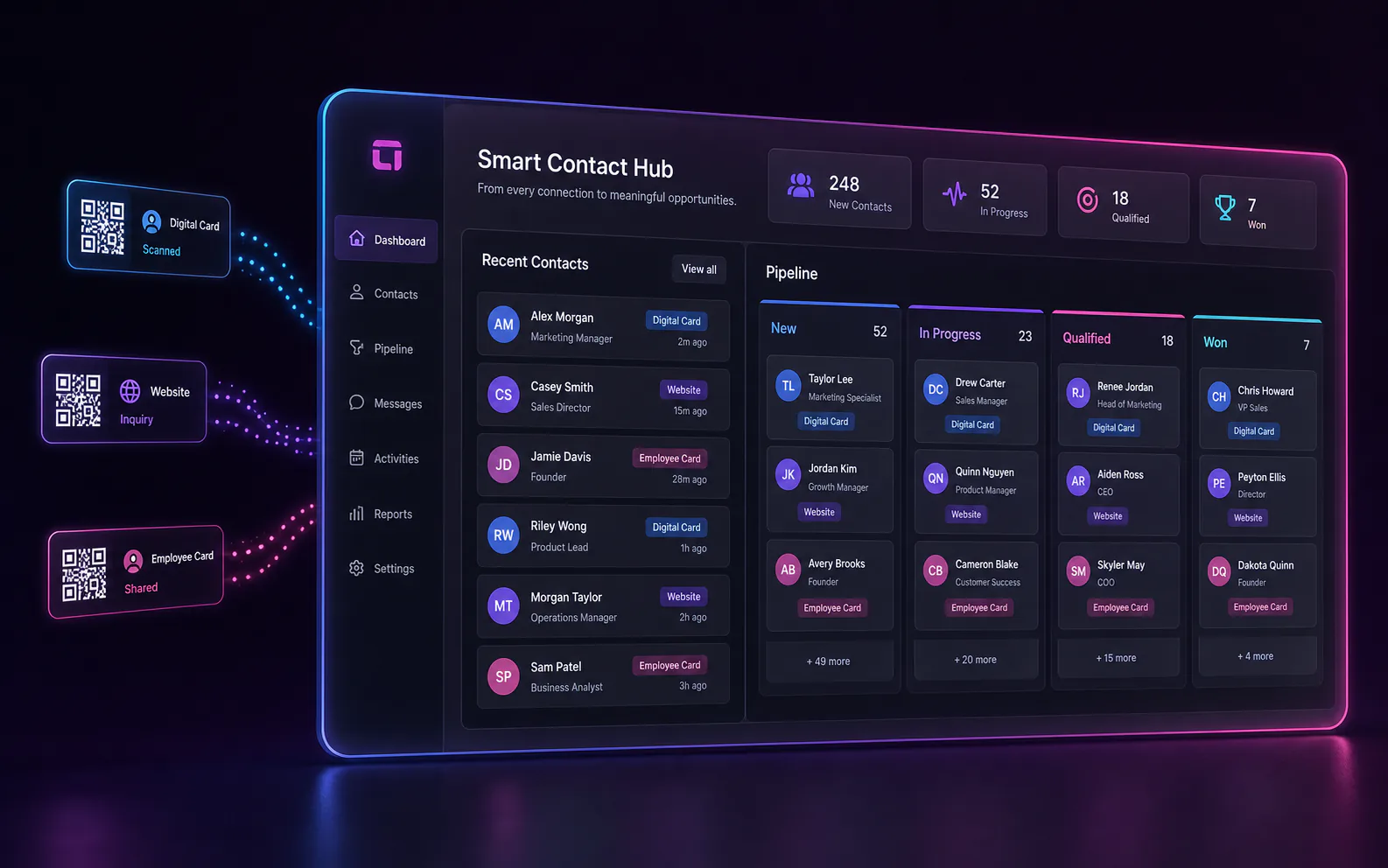
What “organized” actually means
Every connection has a place and a next step.
Instead of searching email notifications or relying on memory, you can see who connected, where they came from, and what needs to happen next.
SourceWhich card or form
OwnerWhich employee
StatusNew, contacted, won
Plain English, not software jargon
What do CRM, pipelines, and tags actually mean?
They are simply three ways to stop relying on memory, scattered inboxes, and employee phones.
Your organized business contact book
It keeps the names, phone numbers, email addresses, conversations, and sources of the people who connect with your company.
JC
James CarterMike’s Digital Card
NewA simple picture of what happens next
See who is new, who has been contacted, who needs an estimate, and which opportunities became customers.
New 4Contacted 3Estimate 2Won 5
Automatic labels that keep things findable
Tags identify where a contact came from or what they need, so your team can filter and follow up without guesswork.
Sarah’s CardWebsite LeadRoof Estimate
The natural next upgrade
Already organizing card contacts? Connect your website next.
Your current form may only send an email. Candela can replace it with a connected form that saves, labels, organizes, and responds to each new inquiry.
BeforeManual & disconnected
A notification lands in an inbox
Website formDetails submitted
→Email inboxAnother notification
→Easy to overlookNo clear owner
The business still has to copy details, remember the source, and decide who follows up.
AfterConnected & automatic
A lead enters an organized process
Website formDetails submitted
→Saved + labeledSource remembered
→Follow-up beginsNext step is clear
The contact appears beside your card contacts in a dedicated website-lead pipeline.
Built for real-world teams
One company. Many moments to connect.
Networking & referrals
Share a polished card at events and know when a new relationship begins.
Estimates & follow-up
Capture prospect details on the spot and keep the next step visible.
Service calls
Give customers a quick way to save the company and request future service.
Booths & signage
Turn banners, handouts, and displays into measurable contact capture.
One QR code, many placements
Put your card wherever customers meet you.
From a phone screen to a storefront window, every placement gives customers the same fast path to connect.
Business Growth Hub · Plan 3
More ways to turn attention into real conversations.
Bookings, website leads, social publishing, and reputation growth share the same contact system instead of living in separate silos.
Online calendar
Let customers book without phone tag
Customers choose an available time, and the appointment stays connected to their contact record.
✓ Booked + connectedSocial planner
Plan and publish from one dashboard
Schedule content ahead of time and keep supported business profiles active without jumping between apps.
● Plan + schedule + publishIncluded in Business Growth Hub · Plan 3
Turn satisfied customers into a stronger online reputation.
Candela’s reputation platform automatically asks customers for feedback by email, keeps every request visible, and helps your review activity grow consistently without relying on someone to remember each time.
Explore reputation management★★★★★
Review request sentAutomated emailCustomer→Feedback→Review growth
Ask automatically
Send personalized review requests by email after the right customer moment.
Catch concerns early
Collect private feedback so your team can address customer issues before they escalate.
Track reputation growth
Monitor requests, responses, and results from one simple dashboard as new customers are added.
Start useful, then grow
You do not have to learn everything on day one.
Begin with the part your business understands immediately. Candela introduces the deeper platform only as it becomes useful.
FirstShare your card
→Make every in-person connection easier.
NextSee new contacts
→Watch submitted information appear automatically.
ThenOrganize follow-up
→Learn the simple board at your own pace.
LaterConnect more sources
Add website leads, bookings, reviews, and marketing.
No tech degree required
A natural path from handshake to growth.
Share your card
A customer scans your employee’s QR code and sees a beautiful, mobile-friendly card.
Capture the connection
They share their details and you receive every submitted field by email. Plan 1 sends only a basic confirmation back.
Personalize the follow-up
Hub plans can send a customized HTML email using their name and other submitted fields, plus URLs and attachments.
Connect the rest
Growth Hub adds SMS lead follow-up, website leads, bookings, social publishing, reputation management, and a complete follow-up process.
Good questions
Simple answers.
Do I need to understand CRM software?
Not at all. We set everything up and show you the handful of things that matter. Think of it as one organized place for the people who connect with your business.
What is the difference between Plan 1 email and Hub automation?
Plan 1 emails the submitted form-field details to your business and sends the person a minimal confirmation containing only the subject and sender or company identity. Plans 2 and 3 can send a complete customized HTML email with body text, personalized custom fields such as their name, URLs, attachments, and more. Plan 3 also adds SMS lead follow-up.
What reputation tools are included in Plan 3?
Business Growth Hub includes automated email review requests, private feedback capture, ongoing requests for new customers, and a dashboard for monitoring outreach, responses, and results.
Can each employee have a different card?
Yes. Team plans include unique cards and QR codes, so you can see which employee made each connection.
What does the setup fee cover?
Design, branding, card configuration, forms, the notification or automation included in your plan, employee setup, testing, and guided onboarding.
What does the monthly fee cover?
Hosting, platform access where included, system maintenance, and continued availability of your cards and connected tools. Message and phone usage may be billed separately when applicable.
Can information be updated later?
Yes. Your QR code stays the same while the information behind it can be updated, so printed materials do not become obsolete when details change.
Can I upgrade later?
Absolutely. Upgrade from a basic confirmation to personalized HTML email automation, then add website leads, SMS lead follow-up, bookings, reputation management, and other connected tools when you are ready.
Ready to make every connection count?
Your next customer may be one scan away.
Tell us about your team and we’ll recommend the simplest place to start.
Let's build your card
Plans from $29/monthSetup from $149View plans